

This document describes the standard testing procedure for testing vape's compatibility with FRIENDS v1 monitor
Protocol 1: Standard operating procedure of vape sensitivity testing
INTRODUCTION AND PURPOSE:
This Standard Operating Procedure (SOP) describes the testing procedure to determine whether puffing on a specific vape model is detectable by the FRIENDS device.
MINIMUM EQUIPMENT REQUIRED:
- Fully charged vape.
- Fully charged FRIENDS.
- 8mm grid printed on transparency paper
- A vacuum pump/line for simulating puffing.
- 3D printed mouthpiece adapter.
- Putty for sealing the vape mouthpiece and the vacuum line joint.
- Protective gloves.
- Copy of checklist for documentation.
Note: All procedures below must be performed while wearing protective gloves. At the end, clean the work area of any leftover debris.
PROCEDURES:
1. Charge the vape: Ensure the vape is completely charged before conducting tests. Mark the status in the checklist.
2. Charge the FRIENDS: Use a micro-USB cable and a USB charger to charge the FRIENDS. A blue LED light will remain on while the device is being charged. The blue light will go off once the charge is complete. Mark the status in the checklist.
Note: The FRIENDS should be inside the enclosure.
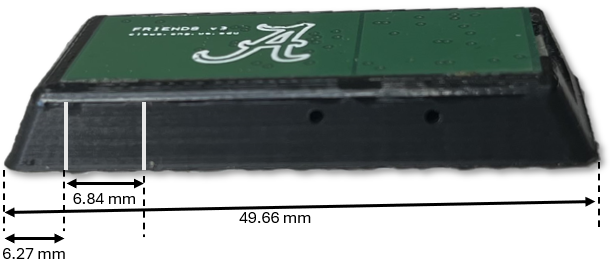
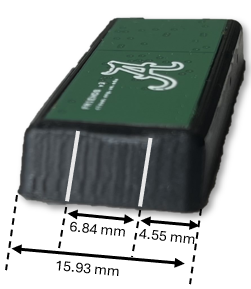
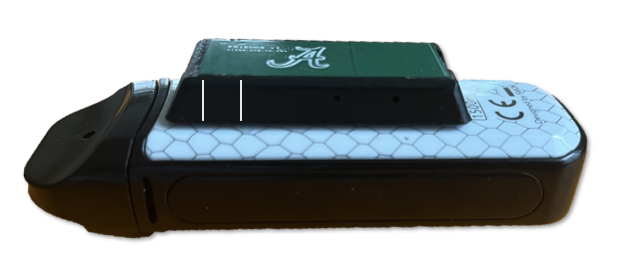
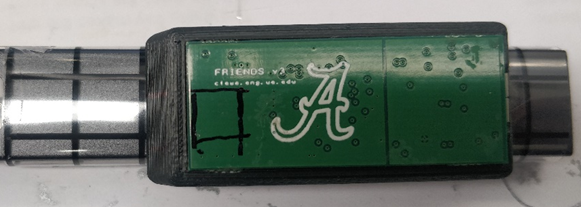
3. Mark the RF sensor location on the FRIENDS enclosure: Mark the location of the RF sensor on the FRIENDS enclosure. The process of locating the RF sensor on the FRIENDS enclosure is illustrated below.
 |
 |
 |
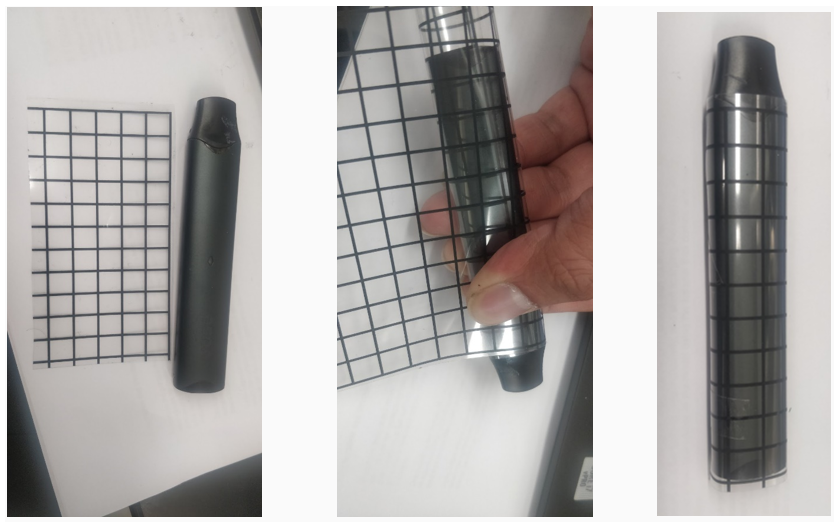
4. Wrap transparency paper on the vape: Wrap the 8 mm grid transparency paper on all sides of the vape. Click here to download the grid.
5. Wrap the vape's mouthpiece with putty: TWrap putty around the mouthpiece as shown below. Ensure the joint between the vape mouthpiece and the vacuum line is airtight. Use reusable mounting putty (such as Loctite Fun-Tak Low Strength Synthetic Rubber Mounting Putty). Mark the status in checklist.
|
|
|
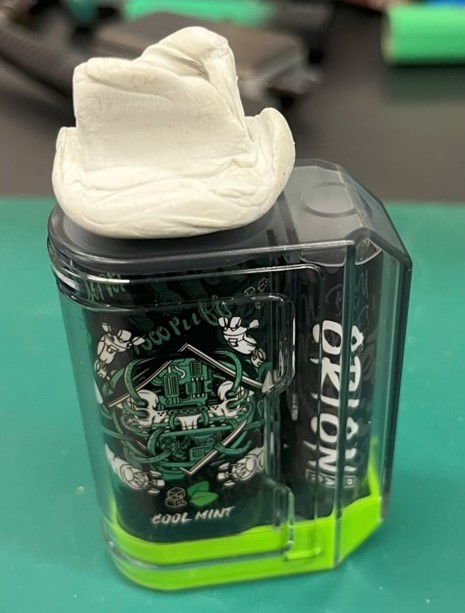
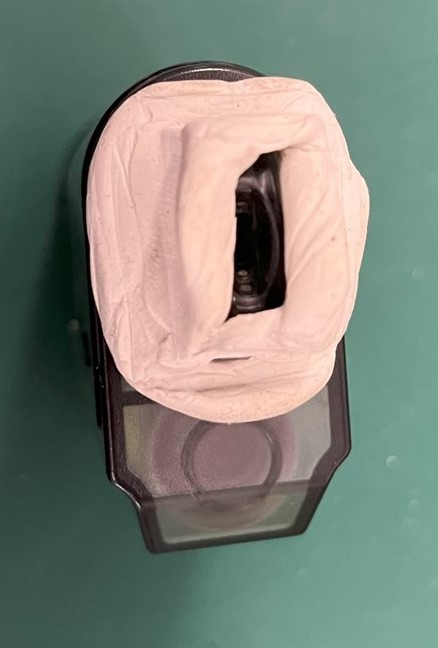
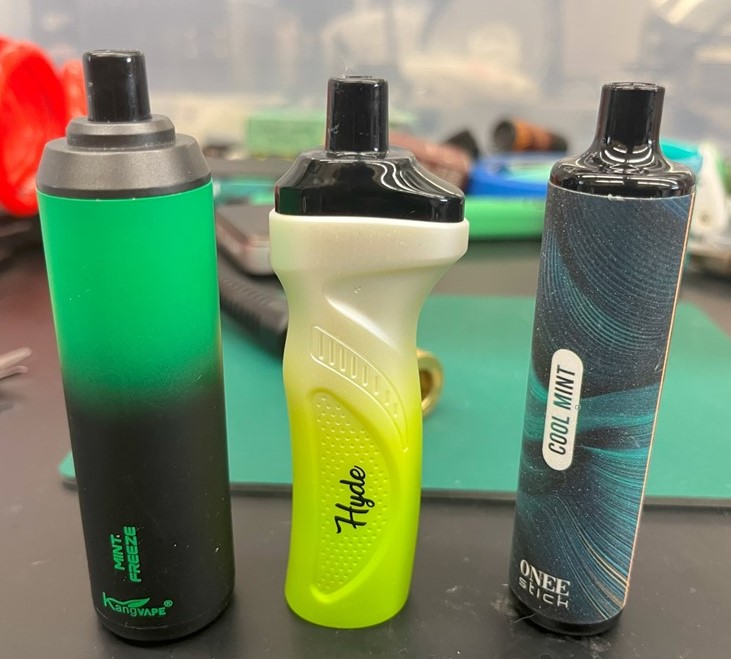
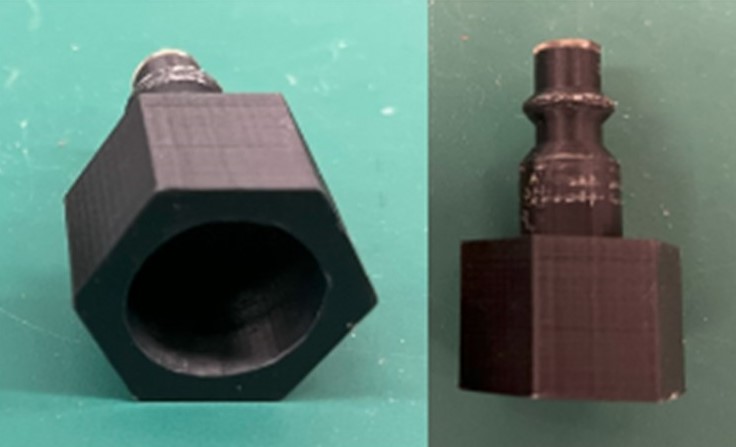
6. Attach the vape to the vacuum line through the mouthpiece adapter: Connect the mouthpiece adapter to the vacuum line and then connect the putty-attached vape mouthpiece to the mouthpiece adapter. Sample images and links to 3D adapter models are provided below. The adapters are designed to be attached to a standard air hose connector. Examples of vapes connected to a vacuum line are given below.
The vacuum is used to simulate puffing. The user should be able to control puffs either through a mechanical (e.g. foot pedal) or electromechanical valve.
|
Mouthpiece type |
Vape Sample |
Mouthpiece Adapter |
Vape connected to the vacuum line |
|
Cylindrical-shaped mouthpiece |
|
Link to the 3D model |
|
|
Box-shaped mouthpiece |
|
Link to the 3D model |
|
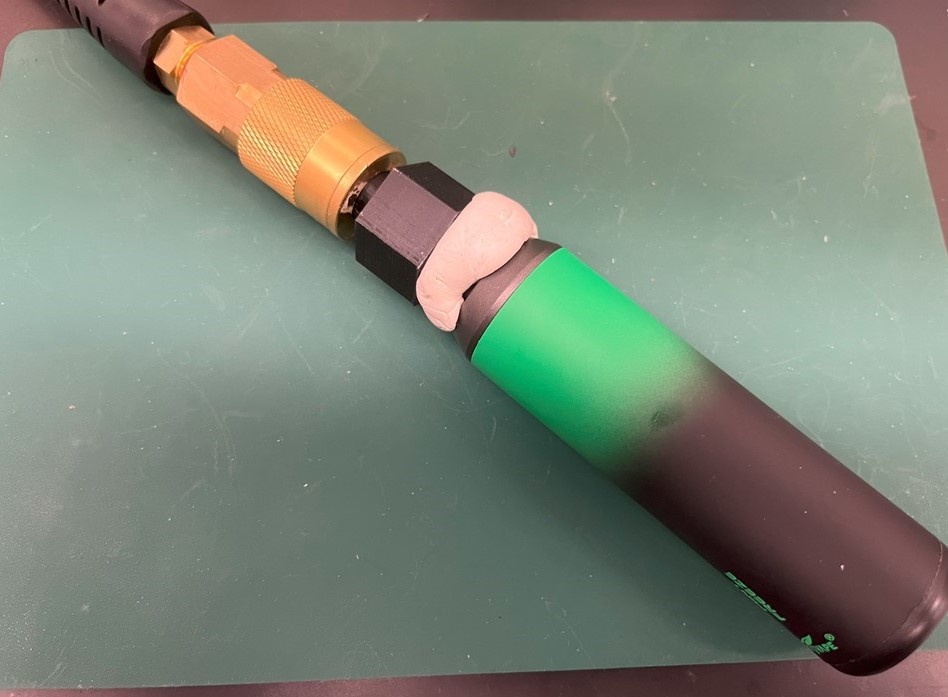
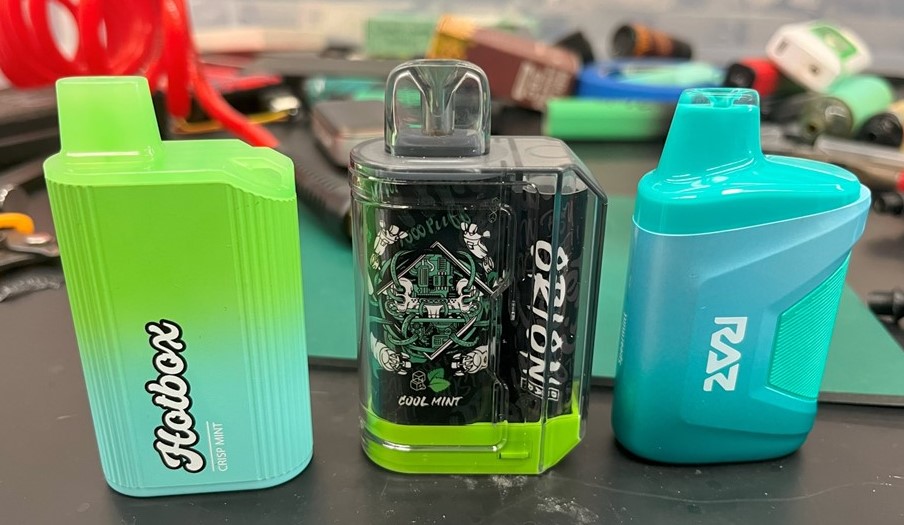
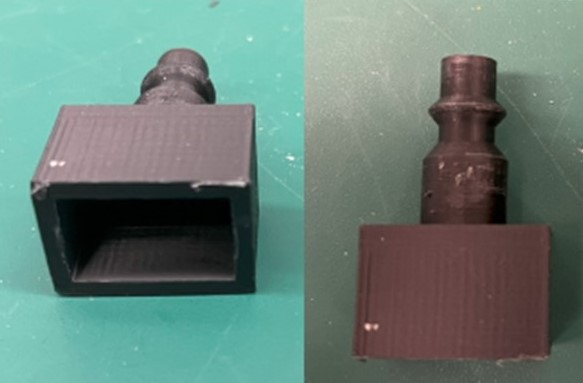
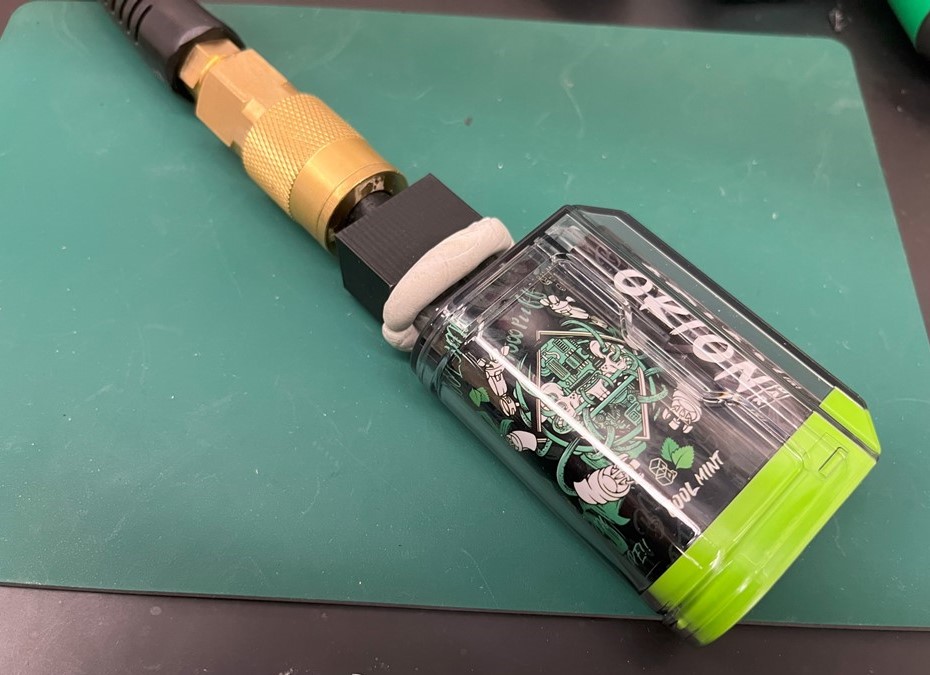
7. Identify the sensitivity zones:
a. Based on the grids on vape, select a side (front, back, right, left, or bottom), place the FRIENDS on top left corner of that side.
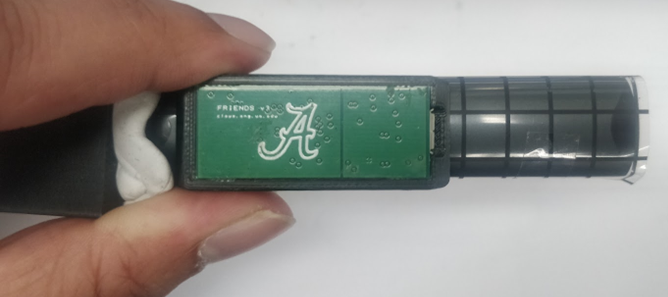
b. Initiate puff with the vacuum and very slowly slide the FRIENDS from top to bottom.
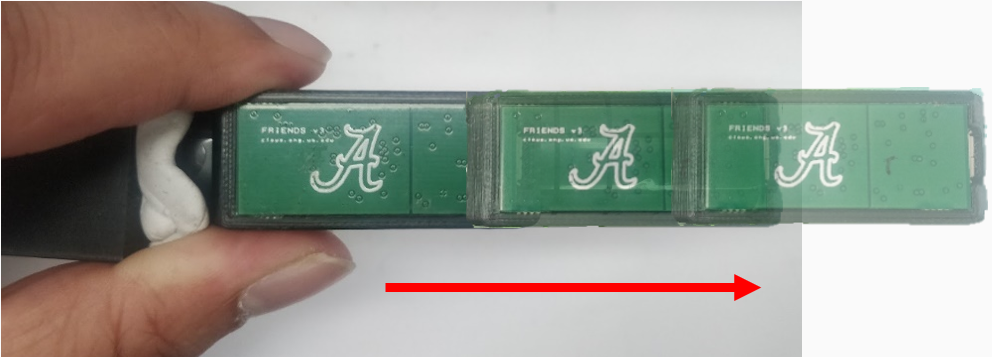
P.S.: Make sure the vape is on and puff is initiated. There will be light on the vape’s body to indicate the active state of the vape. For this vape, the indicator light was at the bottom. It will be different for different vapes.
DO NOT puff more than 3 seconds at a time and keep 2-second intervals in between puffs. After puffing 5 times, let the vape rest for 5 seconds, then start puffing again.
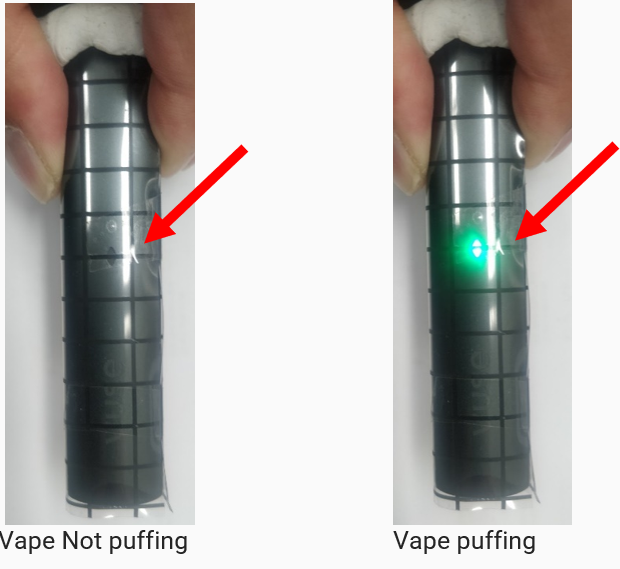
c. If the green LED on the FRIENDS device starts to illuminate, stop sliding. Initiate puff again and observe the green LED illumination. If it stays on during the whole puff, mark that location as “X” in the grid of the vape. This is a sensitive spot on the vape.
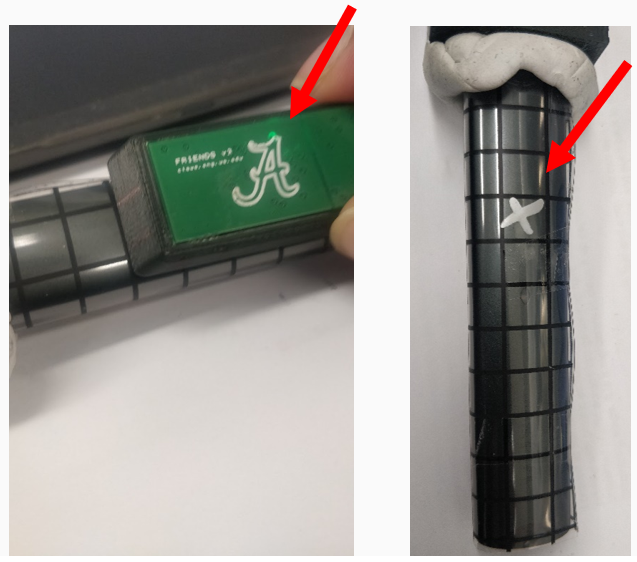
d. After marking the sensitive spot on the vape, start sliding the FRIENDS device again and complete the whole row.
e. Then place the FRIENDS on the middle of the vape and repeat steps 7b to 7d.
f. After finishing scanning this row with FRIENDS, go to the next row and so on.
g. In this way, the front side of the vape will be scanned for sensitivity zones and the grid on the vape will be marked with the “X” symbol if the vape is sensitive to FRIENDS device.
h. Then place the FRIENDS on another side (e.g. front, back, right, left, or bottom) of the vape and start scanning again. Repeat steps 7a to 7e and populate the documentation table.
i. Finally, after completing scanning all the sides of the vape, take a picture of each side of the vape. Then insert the images in the checklist document table.
j. If there are multiple sensitive zones, select a possible FRIENDS mounting location based on signal strength and usability.
k. Take a picture and insert it at the end of the checklist documentation.
For downloading the checklist of essential steps for vape testing: Click here
Protocol 2: Standard Operating Procedure for Evaluating FRIENDS Device Under Varying Charge and E-Liquid Conditions
INTRODUCTION
The FRIENDS device is designed to monitor vape usage by detecting puff events and related signals. Its performance may vary depending on the vape’s battery level and e-liquid (juice) availability. Therefore, it is essential to systematically evaluate the device under real usage conditions, including battery discharge and juice depletion cycles, to ensure consistent and reliable operation.
PURPOSE
The purpose of this SOP is to define a standardized procedure for assessing the performance of the FRIENDS device across different vape battery levels (from full charge to low battery) and varying e-liquid levels (from full to depletion). This evaluation aims to identify any performance variations, ensure reliability, and validate the device under realistic operating conditions.
MINIMUM EQUIPMENT REQUIRED:
- Vape.
- FRIENDS.
- VM-FRIENDS device.
- Protective gloves.
- Copy of checklist for documentation.
Note: All procedures below must be performed while wearing protective gloves. At the end, clean the work area of any leftover debris.
PROCEDURES:
- Charge the FRIEDNS for 30 minutes and charge the vape until fully charged.
- Using the ENDS library, select a location on the vape that is sensitive to the FRIENDS device. Choose a flexible thermistor cable size (small/medium/large) that goes to the vape's mouthpiece from the FRIENDS. NOTE: Do not put the FRIENDS on or near the vape's display. This will create false positives.
- Lightly tape the FRIENDS to vape and manually puff 3 times using the vacuum pump/line to make sure FRIENDS is sensitive to that spot.
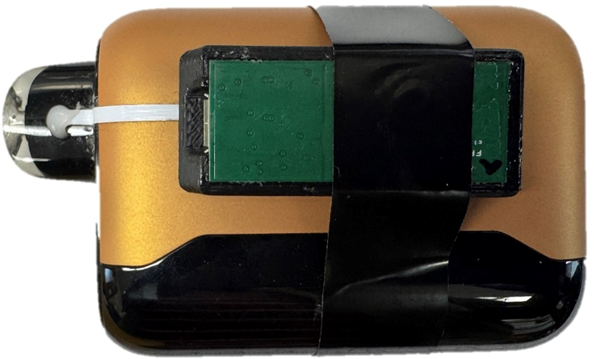
- Use 'thermistor-install-guide-v2.pdf' to attach the FRIENDS device with the thermistor to the vape for starting the test procedure.
- Connect the FRENDS to the computer and start data collection using the FRIEDNS GUI.
- Using the vacuum pump/line, puff 3 times, check the reading, and ensure the thermistor works (Temperature reading should be within 200~950 range). If it did not work, redo steps 2-6.
- Fully charge the vape and FRIENDS.
-
Clean any vape juice residue in the vacuum line leading to the Vaping Machine for laboratory testing of FRIENDS sensors (VM-FRIENDS)
-
Connect the FRENDS to the computer and start data collection using the FRIEDNS GUI.
-
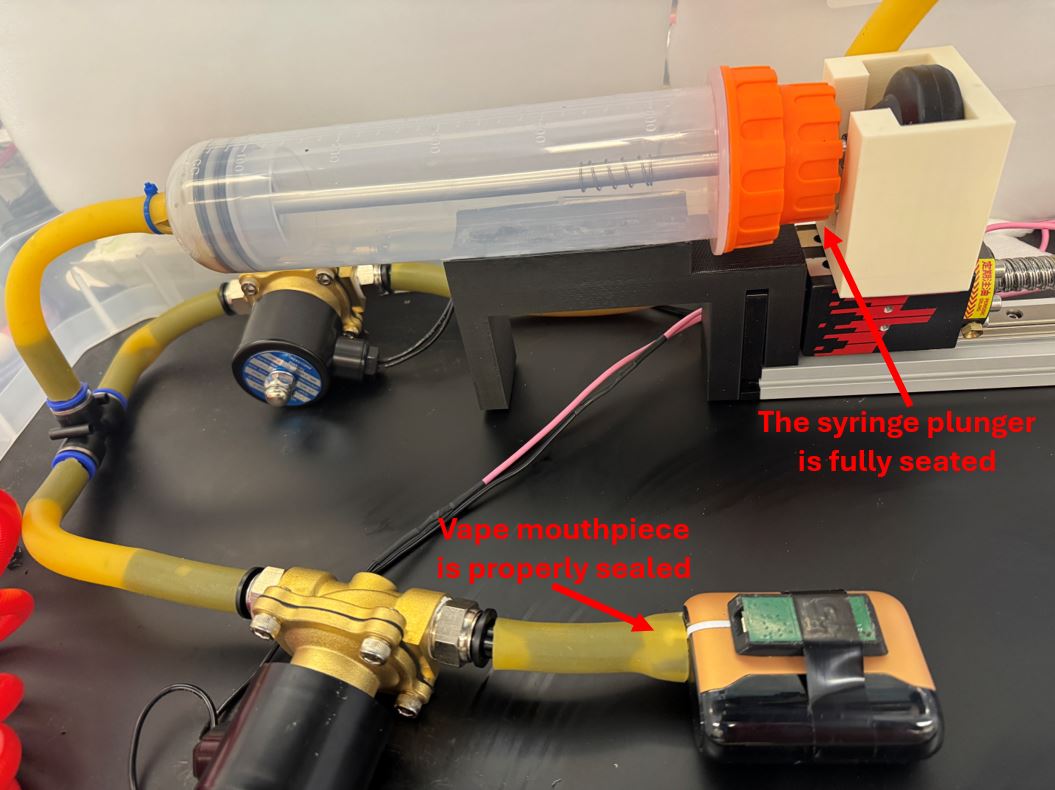
Attach the vape to the vacuum line leading to VM-FRIENDS. Ensure the vape mouthpiece is properly sealed, and the syringe plunger is fully seated.
-
Open VM-FRIENDS GUI and set the following parameter:
Select input parameters: Volume and Duration
Volume (mL): 120
Inhale Flowrate (mL/s): 40.0
Exhale Flowrate (mL/s): 40.0
Inhale Time (s): 3
Exhale Time (s): 3
Interpuff Time (s): 18
Number of Puffs: 40 -
Click on Start Puffing.
-
After 40 puffs, read and store the FRIENDS device data.
-
If the vape indicates low battery or the vape display shows battery below 5%, fully recharge the FRIENDS device and the vape. Otherwise, repeat steps 9-13.
-
Repeat steps 9-14 till the vape runs out of vape juice.
-
After completing step 15, fill out the table given at the end of the Protocol 2 checklist document.